expono
expono turns a node-and-edge diagram into an animated talk. Draw the diagram once, then write scenes that highlight, animate and frame parts of it, and present them to the room one at a time.
What is expono?
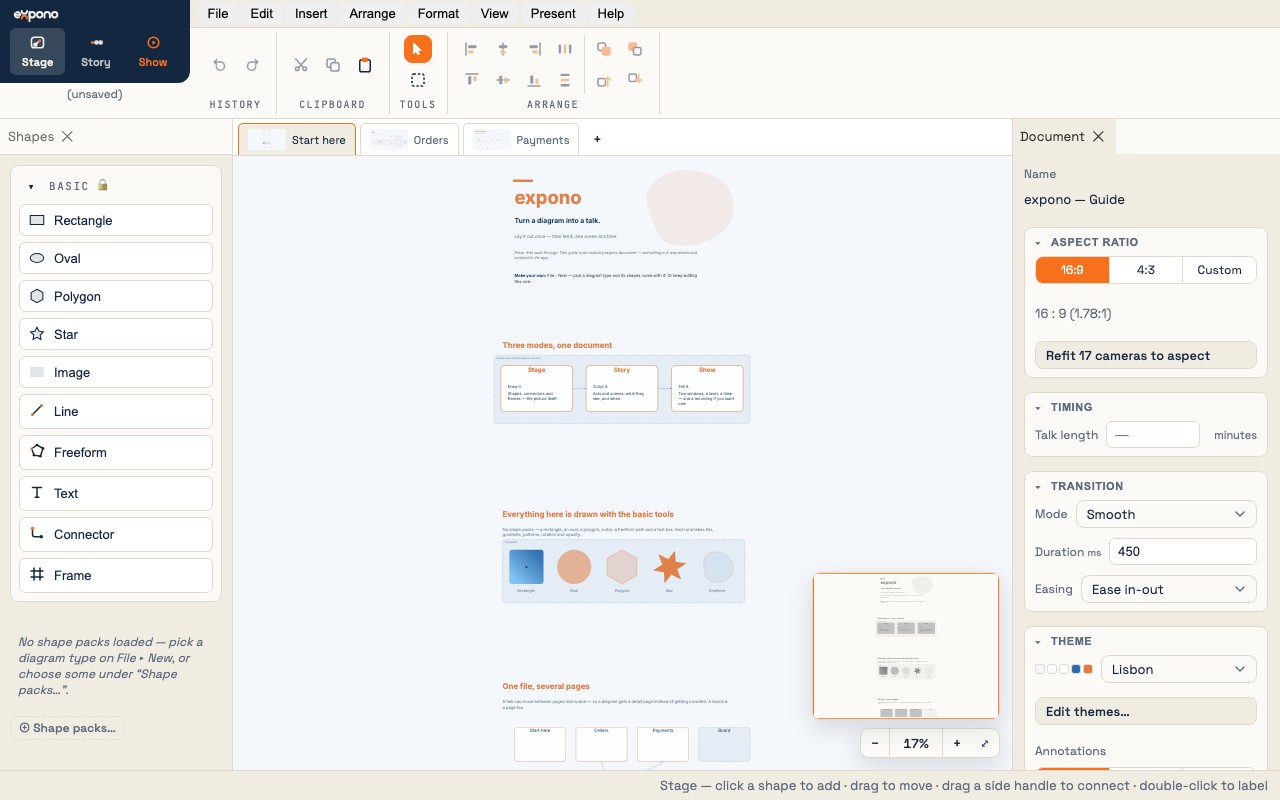
expono is a browser-based tool for presenting node-and-edge diagrams to a live audience. You lay out a diagram — an architecture, a flowchart, a decision tree, a pipeline — and then write an ordered sequence of scenes that show, hide, spotlight, animate and frame parts of it as you speak.
Everything runs in your browser. A project is one self-contained .xpd file on your disk. There is no account and no server.
The three modes
One document, three ways to work on it — the Stage · Story · Show switch at the top left:
Stage — draw it
Place shapes from a pack, connect them, group them in frames, pick a theme. Build the whole diagram before you write any scenes.
Story — script it
Organize the talk into acts and scenes. Each scene says what is visible, what is spotlit, what animates, where the camera is, and what you say.
Show — tell it
The audience sees a clean full-screen diagram. You drive from a presenter view with your notes, a timer and a laser.
The words
| Term | What it means |
|---|---|
| Project | One .xpd file: the diagram, its pages, every act and scene, the theme, and any images. |
| Object | Anything placed on the canvas. Every object follows a definition — the shape, connector or frame it is an instance of. |
| Shape | A box-like object: a process, a decision diamond, a server, or one you drew with the basic tools. |
| Connector | A line between two objects. It routes itself, can carry a label and arrowheads, and is what a flow animation travels. |
| Frame | A labeled region — a boundary, a swimlane, a phase. It moves with the objects inside it. |
| Pack | A notation's vocabulary: the shapes, connectors and frames of flowcharts, BPMN, UML, and so on. File → New → a diagram type loads the right ones. |
| Page | A project can have several pages; a talk can move between them mid-scene. |
| Act | A chapter of the talk: an ordered list of scenes. |
| Scene | One step of the talk: which objects are visible or spotlit, which animations run, where the camera is, and the speaker notes. |
| Theme | The whole look — colors, type, line treatment. Switch it and the diagram restyles in one step. |
The app in your browser
- Browsers. Chrome 111, Edge, Safari 16.4 and Firefox 128 or newer. Chrome and Edge can save a file in place; Safari and Firefox save through a download.
- Install it. expono is an installable web app. Your browser's Install action puts it in your dock or Start menu, with its own window.
- Offline. Once it has loaded, it keeps working with no network: a toast says expono is ready to run offline. A venue's Wi-Fi is not part of the plan.
- Updates. When a new version is ready, a toast offers Reload. It waits for you, and never interrupts a show.
- Help. Help → User guide (online) opens these pages; Help → Reload guide document brings the welcome document back (it asks first if you have unsaved changes). Help → Report a bug… writes a report with the version you are running and nothing from your document. Help → About expono shows the version and the notices for the open-source software inside.
- The mark. In the free pre-release, the audience view carries a small expono wordmark in the corner.
Everything in one place
Tutorial
Draw a flowchart and present it, in about fifteen minutes.
Shapes & Packs
Diagram types, the twelve packs, importing diagrams.
Themes & Styling
The ten themes, the Theme Studio, per-object overrides.
Animations
Flow, accent (glow, scale, ring) and reveal.
Export
Images, PDF handouts, draw.io and Mermaid.
Quick Reference
Every shortcut and menu at a glance.
Free, for now
The pre-release is free and has everything above. A paid tier comes later with the things it does not: rendering the talk to video, recording a narrated take, designing your own shapes and packs, and a show without the mark. Files made now open in every future version.
File format
The .xpd file is the source of truth: portable, readable JSON that carries the definitions of every shape it uses, so it opens on a machine with no packs loaded. On Chrome and Edge, Save writes it in place; elsewhere it downloads. Unsaved work survives a refresh through a recovery buffer in the browser, and expono offers it back when you return.